


How to use SAP S/4HANA data in Power BI
26 August 2021



“How do we access our SAP data in Power BI? Which data source is best for using SAP S/4HANA data in Power BI? What is an oData service and how do I get them?” Those are the most common questions we get from customers right now. Read on to see what your options are and what we recommend.
(Related: How to use SAP ERP 6.0 data in Power BI)
How do we access our SAP data in Power BI? What are the options?
There are a few options, but they come with pros and cons including licensing pitfalls, data security issues, and technical challenges. Such has been the popularity of this request that we’ve done a lot of work to develop a best practice approach that works best for our clients with SAP S/4HANA. If you have challenges with your SAP ERP data in Power BI, check out Applexus's consulting solution for Power BI with SAP.
Power BI has an OData feed data source that allows you to connect to APIs from the SAP application, as well as a data source for connecting to the SAP HANA database directly.
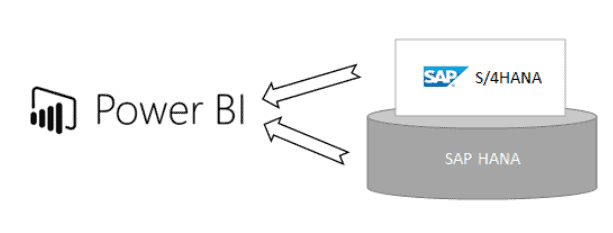
Which data source is best for using data from SAP S/4HANA?
At Applexus, we generally recommend the use of oData services from the SAP application instead of direct database connections.
An oData service is available inside the SAP application, and authenticates with an SAP user. All of the functionality of SAP can be exposed through an oData service. Access to the data is secured by the roles of the SAP user. Only a licensed SAP user can access the data and functionality that they are licensed to use. Therefore, there is little risk of breaching SAP’s license terms.
Connecting directly to a database is convenient. However, it means authenticating with a database user rather than an SAP user so it’s up to you to worry about securing access. If you have a runtime license where the database is purchased from SAP to use with the application only, connecting directly in this manner may be completely prohibited. Even with the correct database license, there is a risk of non-licensed users accessing SAP functionality and creating an indirect access problem.
The biggest benefit of oData services is that they allow the SAP data to be modelled into a fully usable API format, with the correct data formats and annotations for usage in Power BI. Direct access to the database leaves only abbreviated German field names. Also, significant further modelling is required by an SAP specialist in Power BI to allow the data to be reported.
What are oData services and how do I get them?
oData is a standard protocol that enables web-based API for data to be queried in a standard way. oData is used in SAP Fiori applications for all access to SAP data. oData services are a standard feature of S/4HANA.
S/4HANA has a wealth of standard oData APIs due to the use of Fiori, which you can browse at api.sap.com. If you cannot find a standard API for your requirement, an ABAP developer can create a custom oData service, often with minimal code using CDS views.
Single Sign-On
With oData services you can provide a seamless experience to the users with single sign-on (SSO). That means a user can securely access SAP data and functionality, with their own SAP user, without having to log in.
Single Sign-On can be achieved using a variation on traditional OAuth, which is handled by Applexus’s custom connector for SAP Data in Power BI. Watch the video and read more about how to start using your SAP data from Power BI through SSO here.
Applexus’s solution for Power BI
As a Gold Partner of both SAP and Microsoft, Applexus are uniquely placed to help solve problems in using Power BI for SAP data. Learn more about Applexus’s solutions for complex SAP data visualisation with Microsoft Power BI here.
We’ve transformed businesses to data-driven enterprises, with solutions ranging from high-level design of a reporting strategy to resolving technicalities in connectivity to on-premises systems, authentication, and effective data modelling.