


Self-service SAP password reset – How to easily change password on SAP
06 April 2022



Have you ever asked yourself “Why doesn’t SAP have self-service password reset? How can I change my password in SAP? Is there an SAP password change automation available? Can we have single sign-on for SAP?”… Read on for answers to those and more FAQs around changing SAP passwords.
SAP users often see that a big proportion of their helpdesk tickets are for password resets and this is an example of a great scenario for automation.
At Applexus, our SAP managed service support is built on automation. Therefore, we have also developed self-service SAP password reset tool for our customers. This application is available as part of our support service as well as standalone.
Applexus’s self-service password reset app
Using our app, users who have forgotten their password can simply enter their username and they will receive a new temporary password by email.
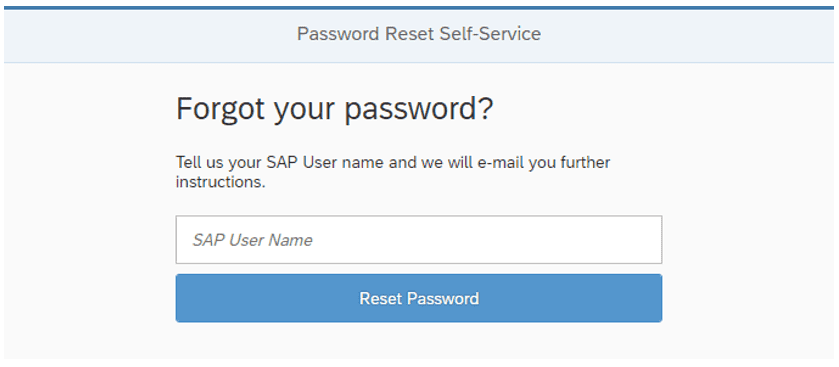
The password reset self-service is available for SAP ERP 6.0, SAP S/4HANA, or any product running on an SAP Application Server.
How to get the app?
Applexus offer next generation SAP managed services that support and run SAP across industries. It is built on automation and strategic advice to move your business and SAP landscape forward, by standard. You can use our managed services to automate password reset in SAP along with many other repetitive and critical activities.
Impact of eliminating password resets
For one major energy industry customer, 30% of helpdesk requests were related to resetting passwords in SAP.
By eliminating password resets, we were able to reduce workload of the helpdesk and increase end-user productivity as they get straight back to work.
Some organisations estimate a cost as high as £40 per manual password reset, for the helpdesk time and disruption caused. Savings of £40,000 per annum or above are possible with fewer than 1,000 SAP users.
Why have passwords at all?
First and foremost, having separate passwords in SAP creates a security risk. It also adds to the list of things for users to have to remember and is clearly a significant overhead in management. Self-service SAP password reset is a step forward, but it is possible to eliminate SAP passwords entirely.
This can be done through single sign-on (SSO) for SAP, allowing users to log in without entering any further credentials at all if already logged in to Windows. After implementation of SSO, you can disable SAP passwords and even use features like two-factor authentication to improve security.
Single sign-on is a specialist topic and Applexus often help organisations in this space even if they don’t normally utilise consultancy or work with another provider. Contact us for more information or to request help with your project.
Related articles on single sign-on solutions:
- Basic setup: Single Sign-On with Azure AD and SAP
- Worth reviewing: Management Considerations for SSO in SAP
- Advanced Scenario: SSO for Using SAP Data from Power BI
- Advanced Scenario: Custom SSO for SAP Mobile Applications